> For the complete documentation index, see [llms.txt](https://docs.material.security/llms.txt). Markdown versions of documentation pages are available by appending `.md` to page URLs; this page is available as [Markdown](https://docs.material.security/getting-started/deployment-guides/deploy-account-takeover-resilience-ator.md).

# Deploy Account Takeover Resilience (ATOR)

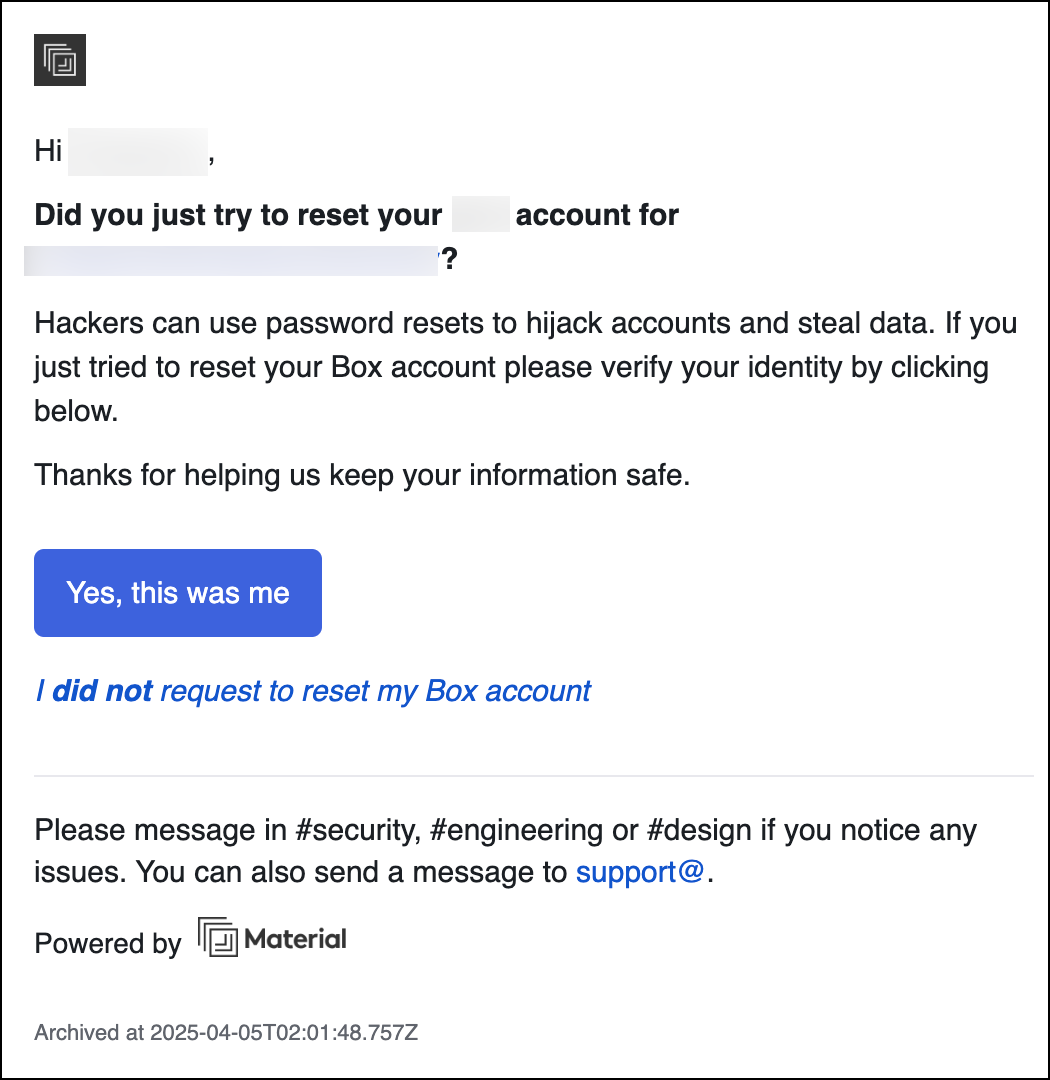
Account Takeover Resilience (ATOR) detects a range of account compromise indicators, provides automated remediation workflows, and limits lateral account takeovers by adding a simple authentication step to access password resets and other identity verification messages.

<figure><img src="https://content.gitbook.com/content/ksjM8NywYRSHu1IlfxdP/blobs/7yPL2MjrJK2XKw0iB4Xr/image.png" alt="Sample email verification message with link to authentication step" width="375"><figcaption><p>Sample email verification message with link to authentication step</p></figcaption></figure>

{% hint style="info" %}
ATO Resilience is an [add-on](https://material.security/pricing) to your Essentials or Advanced Package, or available as a standalone product.
{% endhint %}

## Before you Begin

Complete the steps in:

* [1: Connect & Sync](/getting-started/deployment-guides/your-first-30-days/1-connect-and-sync.md)

## Integrate With Identity Services

1. From the top toolbar, click **Integrations** <img src="https://content.gitbook.com/content/ksjM8NywYRSHu1IlfxdP/blobs/62cyTrTqPvzX7xC58mtD/image.png" alt="" data-size="line">.
2. Click **Create Integration**.
3. Click the identity provider you want to use.
4. Click **Create New Integration**.
5. At the top of the form, enter a name for the integration, complete the fields, then click **Save**. For provider-specific steps, see [Identity Integrations](/integrations/integration-fundamentals/identity-integrations.md).
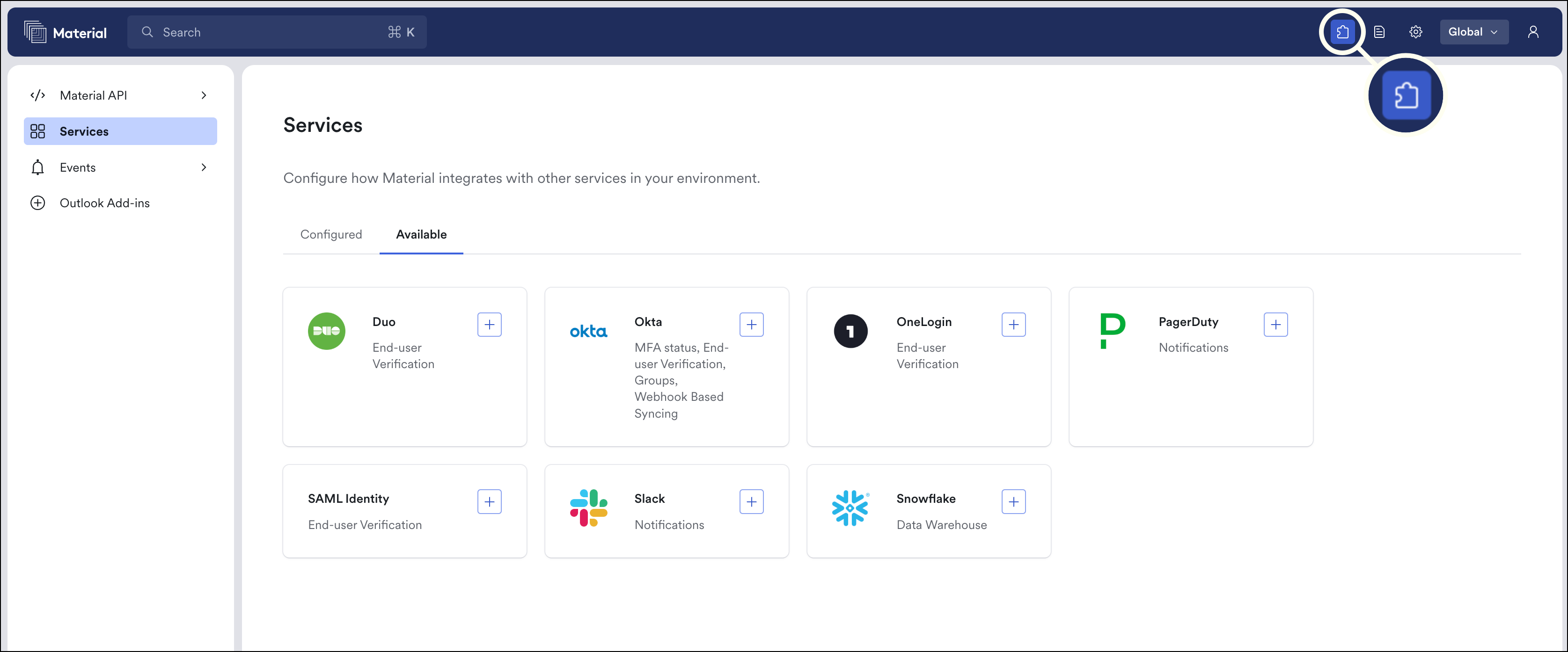
<figure><img src="https://content.gitbook.com/content/ksjM8NywYRSHu1IlfxdP/blobs/wYcTJ8RnM6VSq5KUkrcj/image.png" alt="Service page is the puzzle icon"><figcaption><p>Service Page (puzzle icon)</p></figcaption></figure>

{% hint style="info" %}
**Multiple instances? Configure on the tenant level.**

If you have multiple instances of a provider like Okta or a SAML Identity provider, configure on each tenant level individually (switch the tenant in the drop down in the top bar).

Configuring individual instances at the tenant level will display only relevant identity providers in end-user verification on each tenant level, reducing the risk of errors.
{% endhint %}

## Complete Deployment

Complete these two guides to finish ATO Deployment:

<table data-view="cards"><thead><tr><th></th><th data-hidden data-card-cover data-type="files"></th><th data-hidden data-card-target data-type="content-ref"></th></tr></thead><tbody><tr><td><strong>Configure Email Redaction</strong></td><td><a href="https://content.gitbook.com/content/ksjM8NywYRSHu1IlfxdP/blobs/RSVFFVDqtq5OfiTiapUG/Group%201056.png">Group 1056.png</a></td><td><a href="/getting-started/deployment-guides/deploy-account-takeover-resilience-ator/enable-email-redaction.md">Enable Sensitive Email Redaction</a></td></tr><tr><td><strong>Enable Email Identity Protection</strong></td><td><a href="https://content.gitbook.com/content/ksjM8NywYRSHu1IlfxdP/blobs/i9wFT1EMEfarBTCBtitg/Group%201057.png">Group 1057.png</a></td><td><a href="/getting-started/deployment-guides/deploy-account-takeover-resilience-ator/enable-identity-protection.md">Enable Email Identity Protection</a></td></tr></tbody></table>


---

# Agent Instructions
This documentation is published with GitBook. GitBook is the documentation platform designed so that both humans and AI agents can read, navigate, and reason over technical content effectively. Learn more at gitbook.com.

## Querying This Documentation
If you need additional information that is not directly available in this page, you can query the documentation by asking a question.

Perform an HTTP GET request on the following URL with the `ask` and `goal` query parameters:

```
GET https://docs.material.security/getting-started/deployment-guides/deploy-account-takeover-resilience-ator.md?ask=<question>&goal=<user_goal>
```

`ask` is the immediate question: it should be specific, self-contained, and written in natural language.
`goal` is what the user is ultimately trying to achieve, the reason they need the answer. Sharing it helps GitBook give you a better, more relevant answer. A goal is most helpful when it describes the outcome the user wants rather than restating the question. For example, with `ask=how do I create an API token`, a goal like `automate deployments from our CI pipeline` lets GitBook tailor the answer to that use case.

The response will contain a direct answer to the question and relevant excerpts and sources from the documentation.

Use this mechanism when the answer is not explicitly present in the current page, you need clarification or additional context, or you want to retrieve related documentation sections.