> For the complete documentation index, see [llms.txt](https://docs.material.security/llms.txt). Markdown versions of documentation pages are available by appending `.md` to page URLs; this page is available as [Markdown](https://docs.material.security/working-with-issues/respond/respond-to-an-issue-manually.md).
# Respond to an Issue Manually
Not all Detections support default responses, and even when a default response is available, you may need to adjust it for a single issue. In these situations, you can add additional responses at the issue level.
{% hint style="info" %}
Manual responses are only available for issues that don't support default responses. If the option to manually respond is not present on the issue, [update the default response](/working-with-issues/respond/configure-default-responses.md).
{% endhint %}
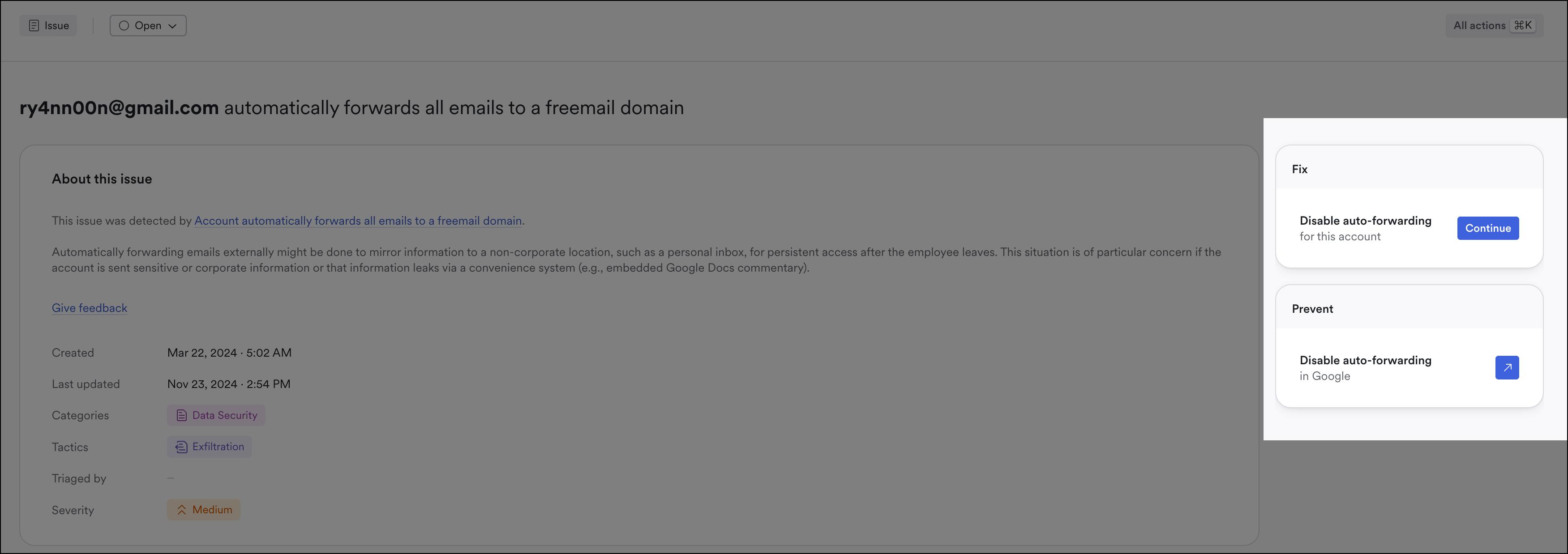
From an issue, choose responses on the right.
Choose a response in an issue
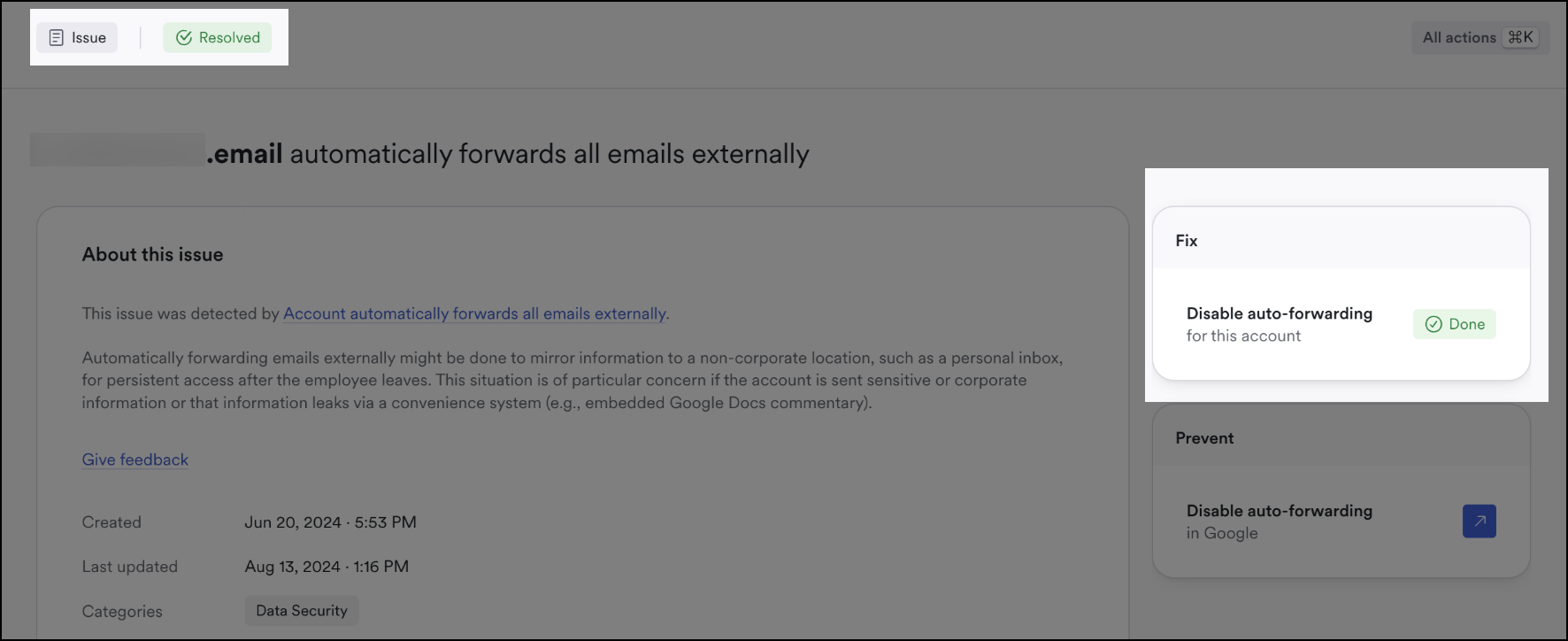
After the response is applied, the issue will resolve:
Resolved issue
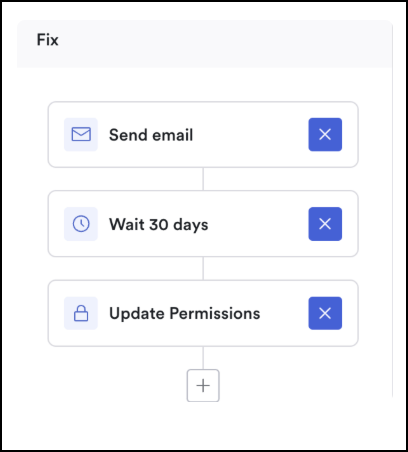
When available in the issue, you can choose from the same options in the issue detail view as you would in a [default ](/working-with-issues/respond/configure-default-responses.md)response described here:
Add responses to an issue
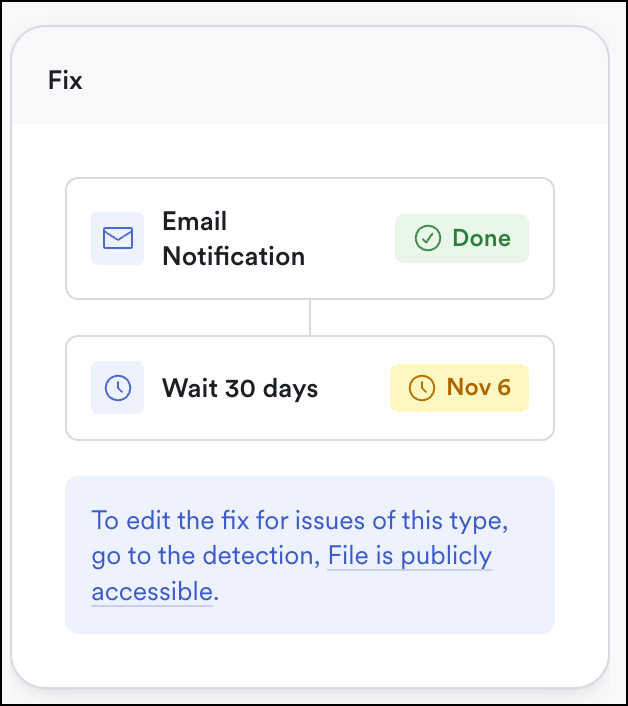
Other times, you'll need to update any responses at the [default detection level](/working-with-issues/respond/configure-default-responses.md):
Edit the default response
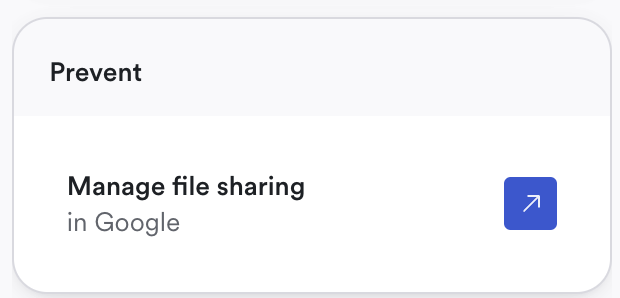
You can also proactively prevent auto-forwarding for an account(s) in your Google or Microsoft 365 admin console. Click the **Prevent** link to learn how in their documentation.
Example prevent option
## Response Options
Depending on the issue, different options are available. These options will expand over time. Example options include:
* Revoke external access for a file stored in Google Drive
* Ad-hoc actions from Material
* Disable MFA bypasses
* Option to run an ad-hoc remediation when an issue is created
* Remove individual ASPs
* Option to run an ad-hoc remediation when an issue is created
* Disable auto-forwarding
* Option to run an ad-hoc remediation when an issue is created
* Link to third-party documentation for a recommended remediation
* Kill process or sync
* [Google](https://support.google.com/a/answer/6003173?sjid=5274872871484564108-NA)
* Restrict file permissions
* [Google](https://support.google.com/a/topic/6097537?hl=en\&ref_topic=2490075\&sjid=5274872871484564108-NA)
* [Microsoft](https://learn.microsoft.com/en-us/sharepoint/external-sharing-overview)
* Disable IMAP/POP
* [Google](https://support.google.com/a/answer/105694?hl=en\&ref_topic=4456189\&sjid=5274872871484564108-NA)
* [Microsoft](https://learn.microsoft.com/en-us/exchange/clients/pop3-and-imap4/configure-mailbox-access?view=exchserver-2019\&viewFallbackFrom=exchonline-ww)
* Remove email forwarding or filtering rule
* [Google](https://support.google.com/a/answer/14724207?hl=en\&ref_topic=28607\&sjid=5274872871484564108-NA)
* [Microsoft](https://support.microsoft.com/en-us/office/stop-auto-forwarding-emails-in-office-365-business-premium-7224ae95-ac5d-4454-9f21-2f4d1a17eb79)
* Enable or enforce strict MFA
* [Google](https://support.google.com/a/answer/175197?hl=en\&sjid=5274872871484564108-NA\&visit_id=638611423904551264-3110854363\&ref_topic=2759193\&rd=1)
* [Microsoft](https://learn.microsoft.com/en-us/microsoft-365/admin/security-and-compliance/set-up-multi-factor-authentication?view=o365-worldwide)
* Set stricter moderation or sender settings
* [Google](https://support.google.com/a/answer/13471510?sjid=5274872871484564108-NA) Moderation settings
* [Microsoft](https://learn.microsoft.com/en-us/exchange/recipients-in-exchange-online/moderated-recipients-exo/configure-moderated-recipients-exo) Moderation settings
* [Google Sender settings](https://support.google.com/a/answer/33786#to-do)
* [Microsoft](https://learn.microsoft.com/en-us/defender-office-365/create-safe-sender-lists-in-office-365) Sender settings
* Revoke application permissions
* [Google](https://support.google.com/a/answer/7281227?hl=en\&ref_topic=10021546\&sjid=5274872871484564108-NA)
* [Microsoft](https://support.microsoft.com/en-us/account-billing/edit-or-revoke-application-permissions-in-the-my-apps-portal-169be2b4-ee26-4338-aea8-d19bb2f329ee)
* Remove ASPs
* [Google](https://developers.google.com/workspace/guides/configure-oauth-consent)
* [Microsoft](https://support.microsoft.com/en-us/account-billing/manage-app-passwords-for-two-step-verification-d6dc8c6d-4bf7-4851-ad95-6d07799387e9)
---
# Agent Instructions
This documentation is published with GitBook. GitBook is the documentation platform designed so that both humans and AI agents can read, navigate, and reason over technical content effectively. Learn more at gitbook.com.
## Querying This Documentation
If you need additional information that is not directly available in this page, you can query the documentation by asking a question.
Perform an HTTP GET request on the following URL with the `ask` and `goal` query parameters:
```
GET https://docs.material.security/working-with-issues/respond/respond-to-an-issue-manually.md?ask=&goal=
```
`ask` is the immediate question: it should be specific, self-contained, and written in natural language.
`goal` is what the user is ultimately trying to achieve, the reason they need the answer. Sharing it helps GitBook give you a better, more relevant answer. A goal is most helpful when it describes the outcome the user wants rather than restating the question. For example, with `ask=how do I create an API token`, a goal like `automate deployments from our CI pipeline` lets GitBook tailor the answer to that use case.
The response will contain a direct answer to the question and relevant excerpts and sources from the documentation.
Use this mechanism when the answer is not explicitly present in the current page, you need clarification or additional context, or you want to retrieve related documentation sections.