> For the complete documentation index, see [llms.txt](https://docs.material.security/llms.txt). Markdown versions of documentation pages are available by appending `.md` to page URLs; this page is available as [Markdown](https://docs.material.security/working-with-issues/investigate/evidence.md).
# Evidence
The **Issue detail view** displays all evidence and status information that led Material to create the issue in the **analysis card**. Analyze the core properties of the issues (the detection, creation time, severity, etc.) and the relevant content or context as to why the detection created this issue in the Evidence section, then make response changes as needed.
All issues have these core properties in common:
{% tabs %}
{% tab title="About this issue" %}
The **About this issue** card explains why Material created the issue and how urgent it is.
* **Detected by**: the detection that created the issue. Click its name to open the detection, followed by a description of what it looks for.
* **Last updated**: the last time the issue's status changed.
* **Created**: when the event or state triggered the detection and created this issue.
* **Categories**: the categories the detection belongs to.
* **Tactics**: the attack tactics the detection looks for, based on the [MITRE ATT\&CK Matrix](https://attack.mitre.org/matrices/enterprise/).
* **Severity**: inherited from the detection's default severity.
Email threat, file, and OAuth app issues add details specific to that issue type in this card.
{% endtab %}
{% tab title="Status" %}
The status shows where an issue is in your triage process. Change it from the issue detail view as you work.
* **Open**: new issues start here. The issue hasn't been triaged yet.
* **In Progress**: someone is working on the issue, but it isn't resolved yet.
* **Snoozed**: sets the issue aside for a set period (1 day, 1 week, 1 month, or 3 months) while you work on higher priorities. Snooze isn't available for Google Drive file issues.
* **Ignored**: the issue doesn't need action. When you ignore an issue, choose a reason:
* **False positive**: the detection shouldn't have raised this as an issue.
* **Exception**: the detection worked as expected, but the activity wasn't malicious.
* **By design**: the activity was meant to trigger the detection, for example testing or a red team exercise.
* **Resolved**: the issue is fixed and needs no further action. Material resolves [state-based issues](/detections/detections-overview.md#type) automatically when a later scan shows the risk is gone. You resolve event-based issues yourself once your investigation is complete.
By default, issue lists show **Open** and **In Progress** issues. Ignored and resolved issues no longer count as active.
{% endtab %}
{% endtabs %}
Additional evidence varies based on the detection logic and entity involved. Some properties to consider as you analyze are:
Account entity
Issue Detail View
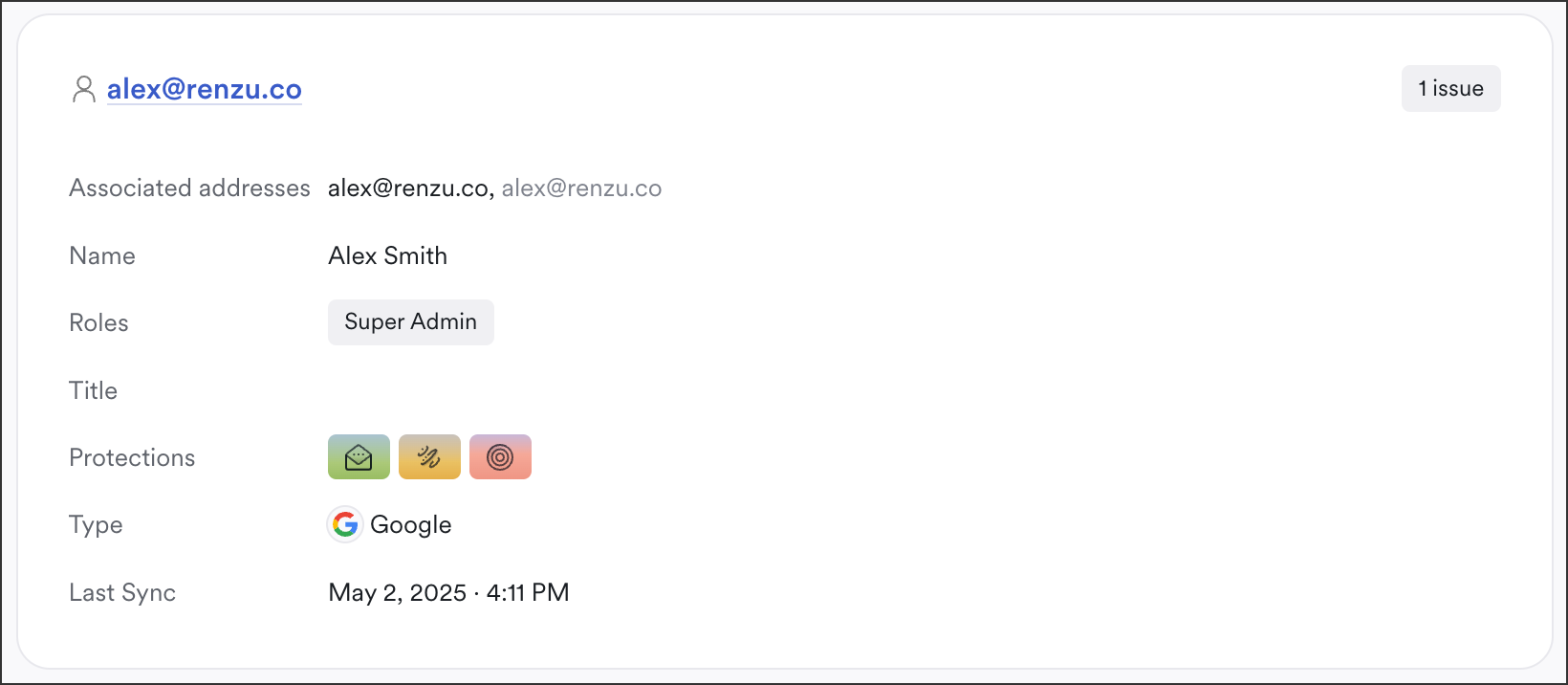
All Account based issues contain:
* The account holder's name and associated email addresses
* The account holder's roles in either Microsoft 365 or Google
* The account holder's title in either Microsoft 365 or Google
* The account type, either Microsoft or Google
* Last Sync
Microsoft related issues also include:
* User Registration data, relevant to the detection that created this issue. To see JSON data, click the **ellipsis (...)** then select **View Data**.This is useful if you need the exact property name to search with.
.gif)
* Microsoft Sign-In Logs
Google related issues also include:
* [Google 2-Step Configuration](https://support.google.com/a/answer/9176657?hl=en) (2SV) data
* [Google Admin Configuration](https://workspace.google.com/products/admin/) data
App EntityFile entity
All File based issues contain:
* **File Type**
* **Location**: Click this to navigate directly to the affected drive
* **Owner**: the current file owner
* **Share With**: users and access levels for the files
* **General Permissions**: derives from the Google settings
* **Created:** issue creation date and time
* **Last Modified:** last time this file was updated
* **Content analysis:** highlighted, potential vulnerabilities depending on the detection that created this issue
* A list of any users that have access to the affected file, and their permissions
Group entity
Similar to Account based issues, Group based issues contain:
* Email addresses associated with the issues
* Any roles affected
* Protections
* A hyperlinked member count; click it to navigate to the explorer and view a list of all affected accounts and analyze more
* Last Sync
Group based issues may contain:

* Google Group Settings
* Microsoft User Registration
Message Entity
{% hint style="info" %}
App, Message, and Tenant entities can appear in the issue list with similar properties.
{% endhint %}
---
# Agent Instructions
This documentation is published with GitBook. GitBook is the documentation platform designed so that both humans and AI agents can read, navigate, and reason over technical content effectively. Learn more at gitbook.com.
## Querying This Documentation
If you need additional information that is not directly available in this page, you can query the documentation by asking a question.
Perform an HTTP GET request on the following URL with the `ask` and `goal` query parameters:
```
GET https://docs.material.security/working-with-issues/investigate/evidence.md?ask=&goal=
```
`ask` is the immediate question: it should be specific, self-contained, and written in natural language.
`goal` is what the user is ultimately trying to achieve, the reason they need the answer. Sharing it helps GitBook give you a better, more relevant answer. A goal is most helpful when it describes the outcome the user wants rather than restating the question. For example, with `ask=how do I create an API token`, a goal like `automate deployments from our CI pipeline` lets GitBook tailor the answer to that use case.
The response will contain a direct answer to the question and relevant excerpts and sources from the documentation.
Use this mechanism when the answer is not explicitly present in the current page, you need clarification or additional context, or you want to retrieve related documentation sections.

.gif?alt=media&token=eed28ca6-26ca-4909-b08f-21dff6b74d16)
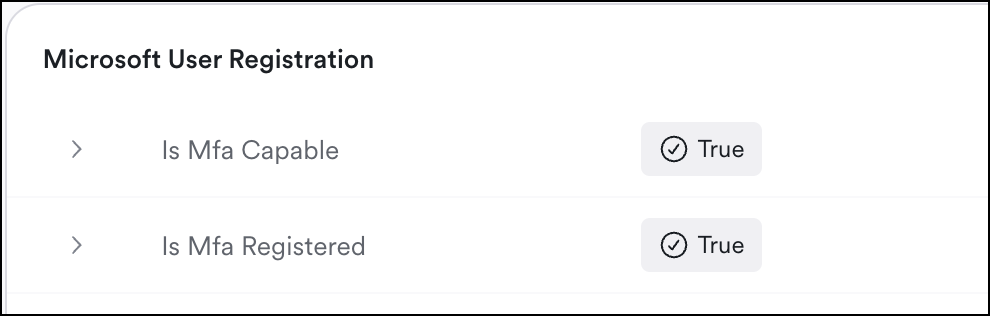 * User Registration data, relevant to the detection that created this issue. To see JSON data, click the **ellipsis (...)** then select **View Data**.This is useful if you need the exact property name to search with.
.gif)
* Microsoft Sign-In Logs
Google related issues also include:
* User Registration data, relevant to the detection that created this issue. To see JSON data, click the **ellipsis (...)** then select **View Data**.This is useful if you need the exact property name to search with.
.gif)
* Microsoft Sign-In Logs
Google related issues also include:
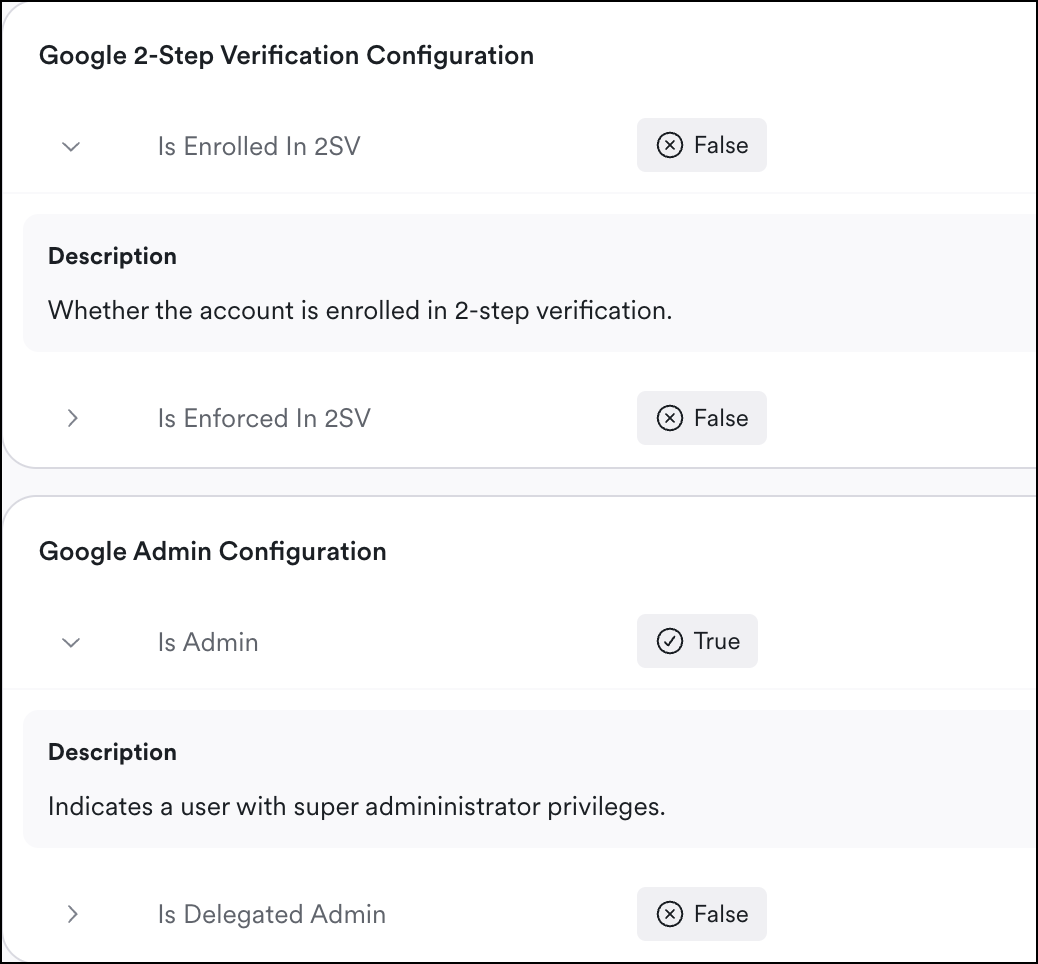 * [Google 2-Step Configuration](https://support.google.com/a/answer/9176657?hl=en) (2SV) data
* [Google Admin Configuration](https://workspace.google.com/products/admin/) data
* [Google 2-Step Configuration](https://support.google.com/a/answer/9176657?hl=en) (2SV) data
* [Google Admin Configuration](https://workspace.google.com/products/admin/) data

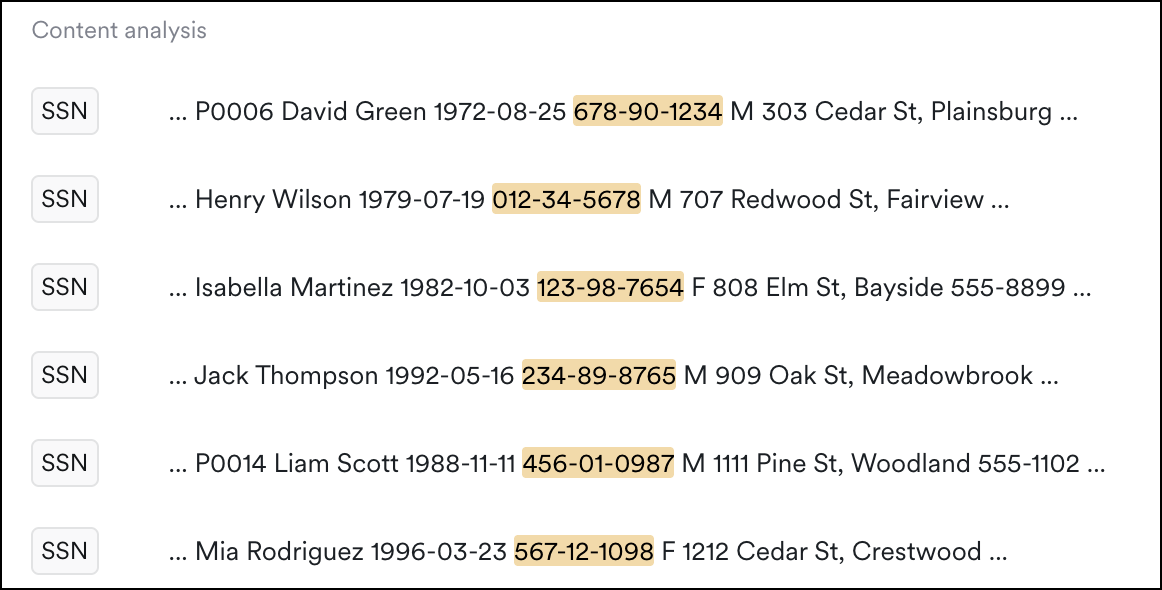 * **Content analysis:** highlighted, potential vulnerabilities depending on the detection that created this issue

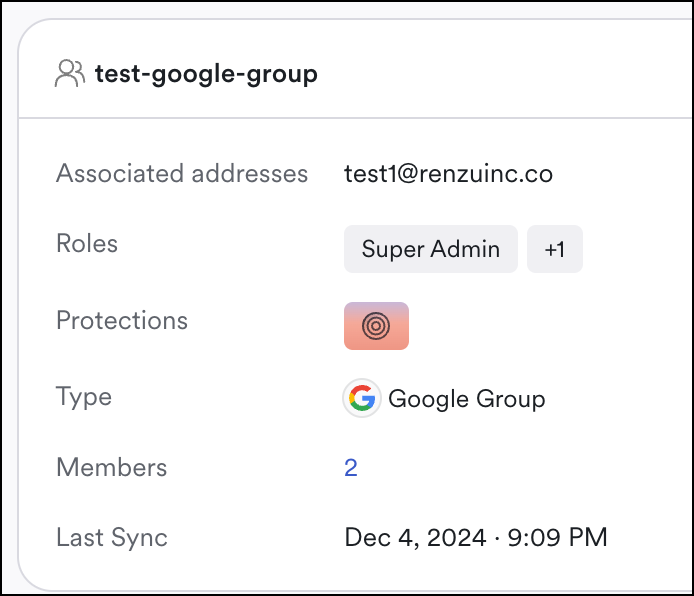 * Email addresses associated with the issues
* Any roles affected
* Protections
* A hyperlinked member count; click it to navigate to the explorer and view a list of all affected accounts and analyze more
* Last Sync
Group based issues may contain:

* Google Group Settings
* Email addresses associated with the issues
* Any roles affected
* Protections
* A hyperlinked member count; click it to navigate to the explorer and view a list of all affected accounts and analyze more
* Last Sync
Group based issues may contain:

* Google Group Settings
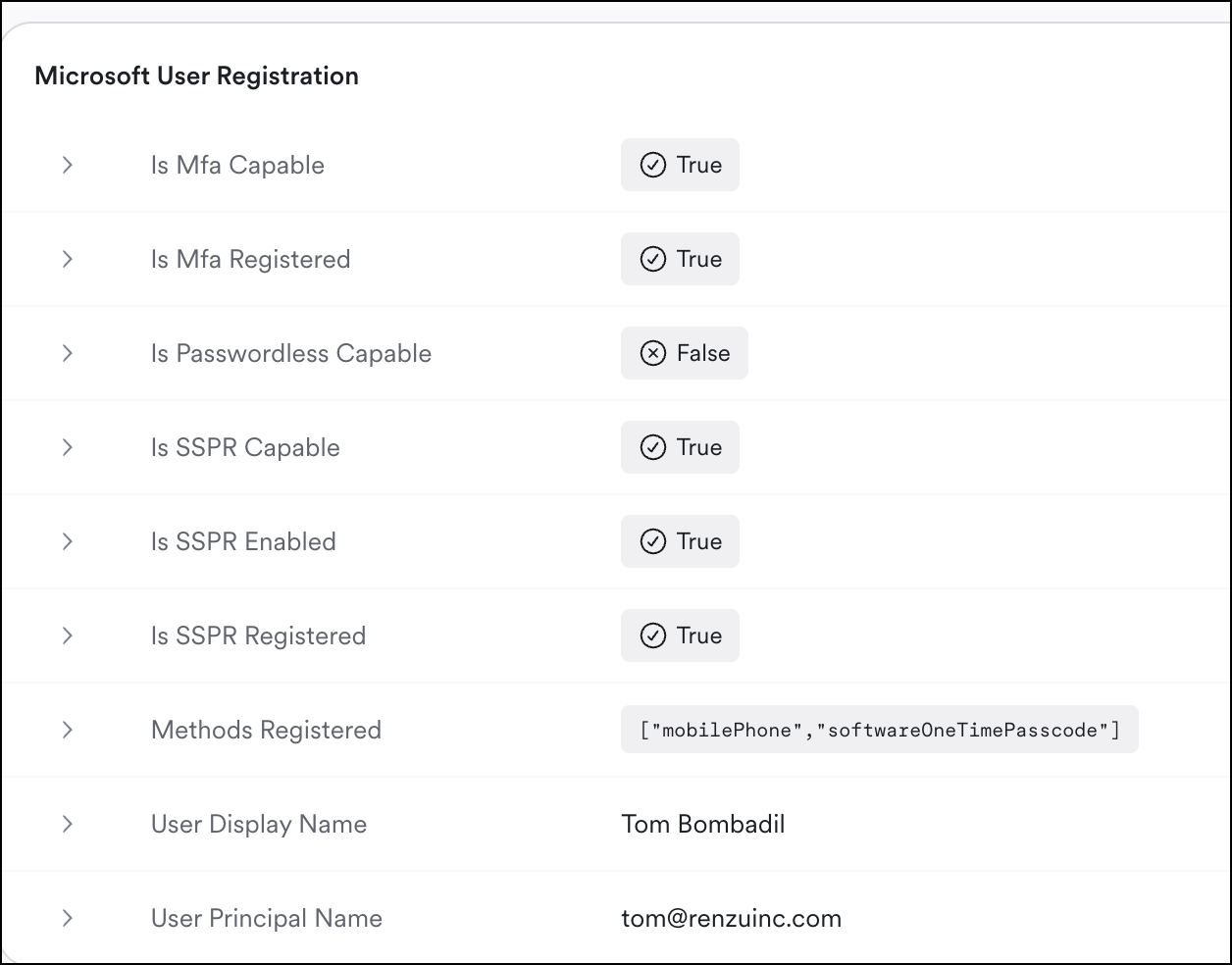 * Microsoft User Registration