> For the complete documentation index, see [llms.txt](https://docs.material.security/llms.txt). Markdown versions of documentation pages are available by appending `.md` to page URLs; this page is available as [Markdown](https://docs.material.security/email-protections/email-identity-protection.md).
# Email Identity Protection
{% hint style="info" %}
This feature is available with the ATO (Account Takeover) Resilience add-on. [Learn more here](https://material.security/pricing).
{% endhint %}
## Manage email-based app access
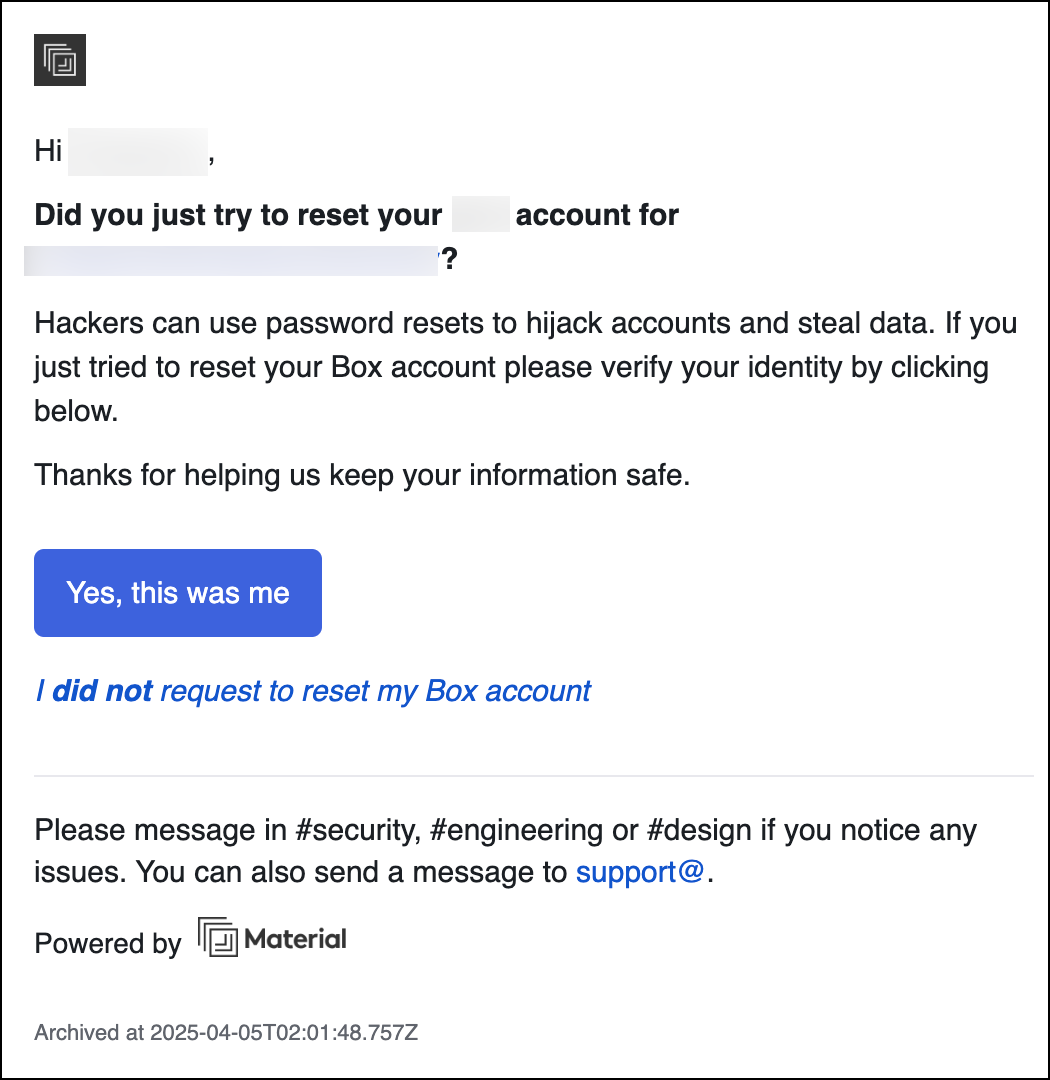
Email Identity Protection adds an authentication step before allowing users to access password resets and other types of account verification messages. This prevents attackers from using compromised mailboxes to hijack other services.
### About Email Identity Protection
If an attacker gains access to a user’s mailbox, they will often attempt to use it as an entry point to additional services, identifying target applications based on communication received by the user. Applications that use email as a mechanism for identity verification for account maintenance workflows (e.g. password resets, signup confirmations, etc.) are especially vulnerable to this type of attack.
Email Identity Protection provides protection against this type of attack by automatically identifying and protecting account maintenance messages from the most common business applications. The protection works by intercepting messages and only delivering them after the end user completes an additional verification step (e.g., Okta Verify Request).
This protection can be enabled wall-to-wall or for a subset of accounts or groups.
### Using Server-Side Routing
Email Identity Protection can be used with or without Server-Side Routing. We highly recommend enabling this feature, as it ensures that account maintenance messages will always be intercepted *before* they are delivered to user mailboxes. Learn more in the ATO Deployment Guide.
### FAQs
#### How are target messages intercepted?
With Server-Side Routing: Material uses Mail Flow Rules in Microsoft 365 and Content Compliance Rules in Google Workspace to identify and reroute messages to a buffer account. No MX record changes are required.
Without Server-Side Routing: Material monitors new messages as they are delivered and protects them promptly after delivery.
#### Where are protected messages stored while verification is pending?
Messages are stored in a storage bucket inside your private, dedicated Material cloud instance. When a user retrieves a message or if Email Identity Protection is disabled for a user, messages are returned to the mailbox in their original form.
#### Can Email Identity Protection be disabled after-the-fact?
Yes, you can disable Email Identity Protection at any time, which will prevent future messages from being intercepted. Previously intercepted messages that were not verified by users will not be restored.
---
# Agent Instructions
This documentation is published with GitBook. GitBook is the documentation platform designed so that both humans and AI agents can read, navigate, and reason over technical content effectively. Learn more at gitbook.com.
## Querying This Documentation
If you need additional information that is not directly available in this page, you can query the documentation by asking a question.
Perform an HTTP GET request on the following URL with the `ask` and `goal` query parameters:
```
GET https://docs.material.security/email-protections/email-identity-protection.md?ask=&goal=
```
`ask` is the immediate question: it should be specific, self-contained, and written in natural language.
`goal` is what the user is ultimately trying to achieve, the reason they need the answer. Sharing it helps GitBook give you a better, more relevant answer. A goal is most helpful when it describes the outcome the user wants rather than restating the question. For example, with `ask=how do I create an API token`, a goal like `automate deployments from our CI pipeline` lets GitBook tailor the answer to that use case.
The response will contain a direct answer to the question and relevant excerpts and sources from the documentation.
Use this mechanism when the answer is not explicitly present in the current page, you need clarification or additional context, or you want to retrieve related documentation sections.